For hosts
Hosting on Wanderist
Anyone can host, and hosting is free. Post the Outing, decide who joins, and turn up. If you want to run it as a ticketed event, that's built in too — but it's the exception, not the default.
Opens the App Preview, in your phone's browser.
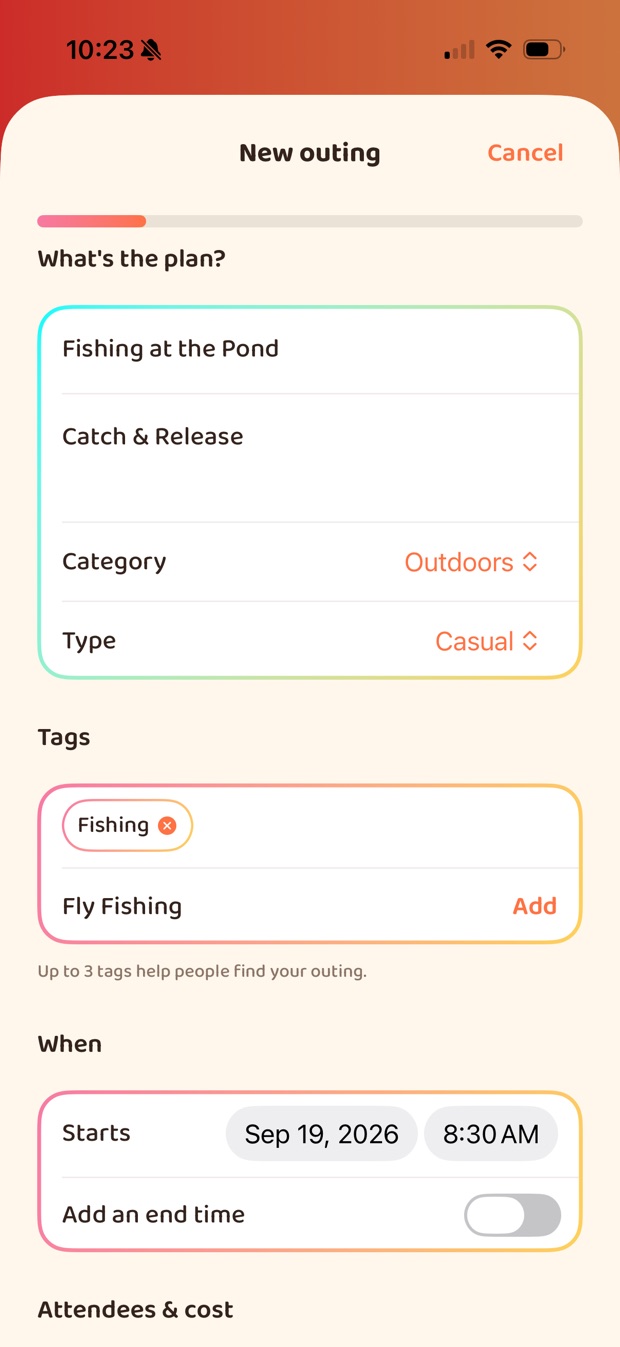
- Free to host Ticketing only if you want it
- You approve every guest And the capacity is enforced for you
- Your refund policy Guests see it before they pay
- Entry codes Or check people off by hand
Free Outings
Post it, decide who comes, turn up.
Most Outings cost nothing to run and nothing to join. That's the default, and none of what follows needs a ticket.
- Basics
- A title, a time and a place. Venue search is backed by Google Places, so the address and map pin come out right. Up to eight tags decide who sees it.
- Lists
- What's included, and what to bring. Fewer surprises on the day, and fewer people dropping out when they realise it wasn't what they pictured.
- Visibility
- Everyone nearby, your friends, or invite-only. Set a capacity and it is enforced: two people accepting at the same moment can't overbook you.
- Guests
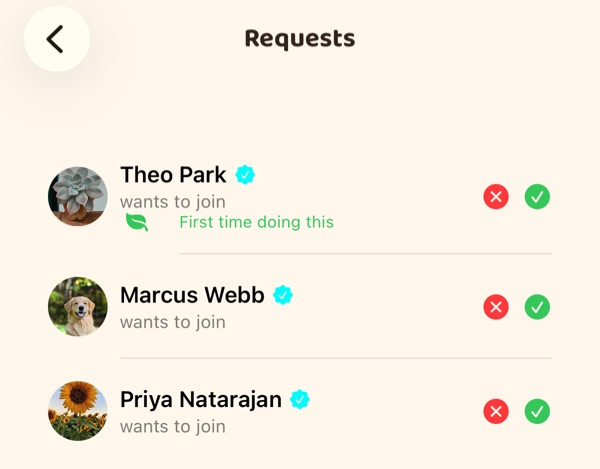
- Nobody joins without your say-so. Turn someone down and they can't immediately re-ask; after repeated requests you're offered a block.
On the day
Every Outing has a door.
-
Entry codes
Each guest has a code. Scan it at the door, or check people off by hand if the queue is moving faster than the camera.
-
Co-hosts
Hand the door to a friend. A co-host can scan codes and work the guest list, and that is all they can do.
-
First-timers, flagged
A guest who's new to the activity can say so, and it shows on their request, so you know who to look out for.
-
Its own chat
Every Outing has a chat with everyone going, for whatever changes at the last minute.
Ticketed events
Charge for it when it costs money to put on.
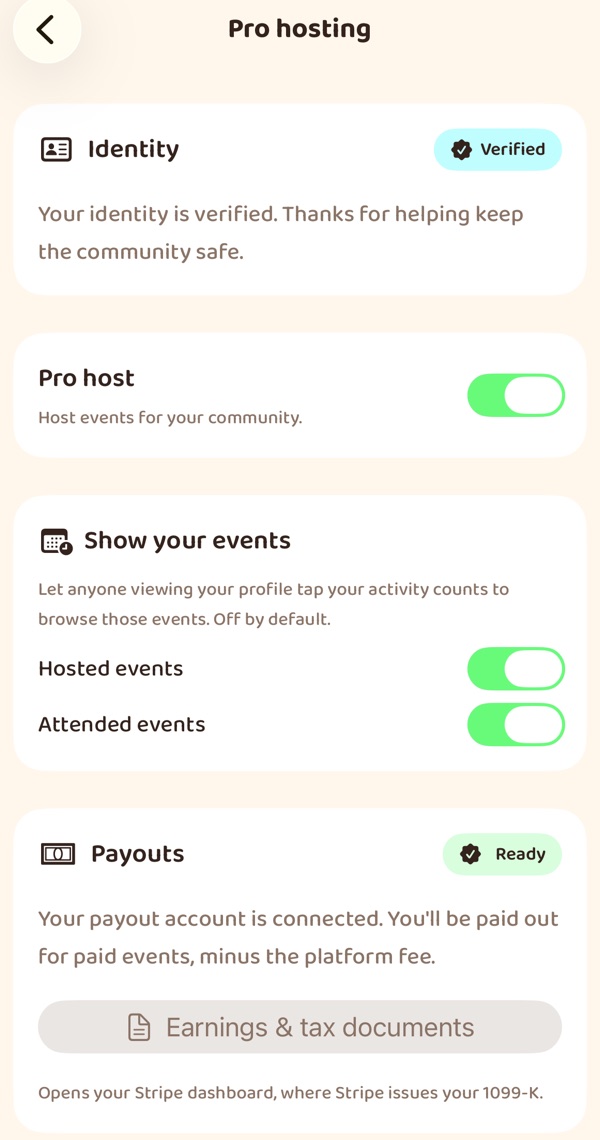
A class, a table booking, materials. Set up Pro hosting once and you can sell tickets.
- Payments
- Through Stripe's own checkout. Card details never pass through the app, and we never see them.
- Payouts
- To your Stripe Express account, routed to you as part of the sale. You verify your identity first — required for anyone taking payments.
- Refunds
- On your terms. You set the policy and guests see it before they pay. Cancel the event and everyone is refunded automatically.
The platform fee is a percentage of ticket sales, and it goes down as you host more — see below. Free Outings cost nothing at any tier.
The Concierge tier
Earned, not bought.
Hosting activity, attendance at your events, ratings and how long you've been doing it feed a host score, recalculated nightly. Cross a threshold and your tier goes up — there is no way to purchase it, and nothing you can pay to skip the queue.
A higher tier means a lower platform fee on your ticket sales, a marker on your profile and your events, and first look at venue partnerships.
| Tier | How you get there | Platform fee on ticket sales |
|---|---|---|
| Standard | Where everyone starts | 10% |
| Established | A track record of events people actually attend | 8% |
| Concierge | The top band of the host score | 5% |
Fees shown are current at the time of writing and are set server-side; the app always shows the fee that applies to you before you publish a priced event.
Getting more people
Two paid tools, both one-off.
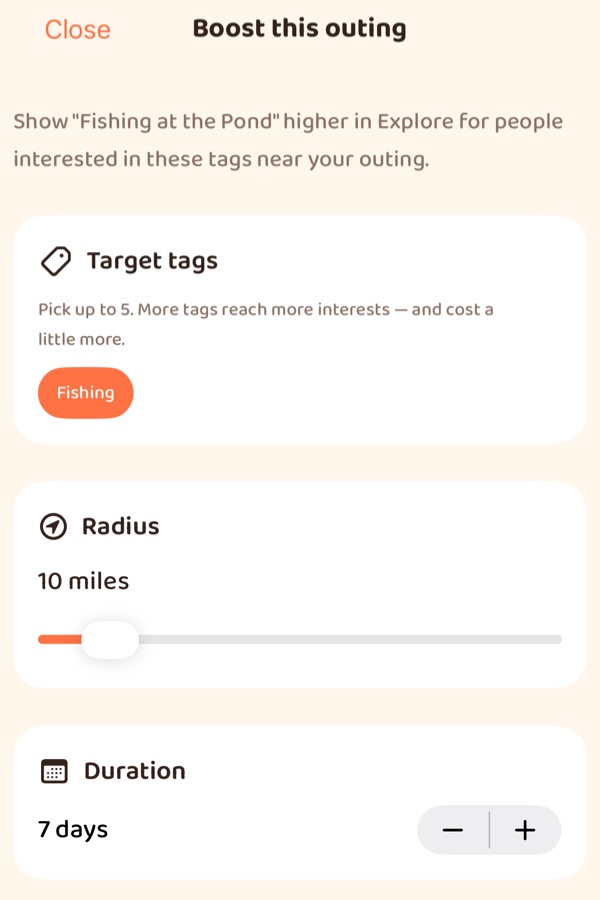
No subscription. You see the price before you pay, and it depends on the tags, the radius and, for a Boost, how many days.
- Boost
- Higher in the feed, for people nearby whose interests match the tags you pick. A boosted Outing carries a Promoted label — always.
- Notify
- One notification to interest-matched people in range who haven't opted out. Your friends already hear about your Outings, free, and are never part of this.
Neither guarantees attendance, and we don't pretend otherwise. There are per-person caps on how often promoted notifications can reach anyone, because a channel people mute is worth nothing to the next host who pays for it.
Growing your circle
Hosting is how strangers become friends.
-
From guest to suggestion
We only suggest someone you haven't met if they've verified their identity. People who've been to the same Outing are the exception.
-
Invite friends
Friends who share an interest with the Outing are listed first. They still ask to join, and you still approve them.
-
Share it yourself
Post it from your phone's share sheet, with a caption you can tune for each network. On a public Outing the link opens a preview anyone can read.
-
Host a listing
A Marquee event nobody has organised is yours to host. Everyone who marked it Interested is told.
Host your first Outing
Creating an Outing works in the App Preview today, and in the iPhone and Android apps once they're out.
Try the App Preview
Wanderist in your phone's browser, today. Nothing to download.
The apps
In testing now, for iPhone and Android.
- iPhone · coming soonApp Store
- Android · coming soonGoogle Play