The Guidebook
How Wanderist works
The parts of Wanderist worth more than a paragraph. The audience pages say what the product does for you; this one says how it works, and it is the page the rest of the site links into when a short answer would have been a misleading one.
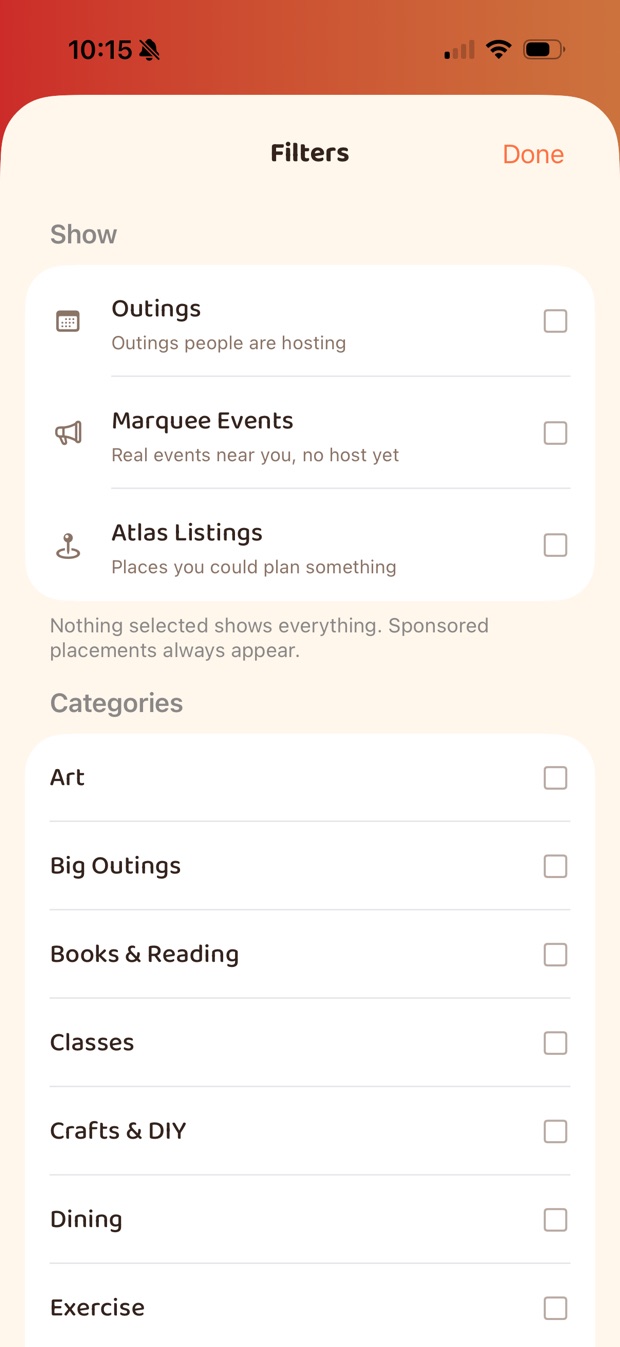
Three kinds of thing in your feed
Most of what you'll see is an Outing — someone has organised it and you can ask to join. But a new area has few of those, so the feed carries two other kinds alongside them, and they are labelled rather than blended in. You can filter to any one of them.
| In the feed | Has a time? | Has an organiser? | What you do with it |
|---|---|---|---|
| Outings | Yes | Yes — a member is hosting | Ask to join. The host approves, and you check in at the door. |
| Marquee Events | Yes | No | Say you're interested, or host it — which turns it into an Outing. |
| Atlas Listings | No | No | Save it for later, or host something there. |
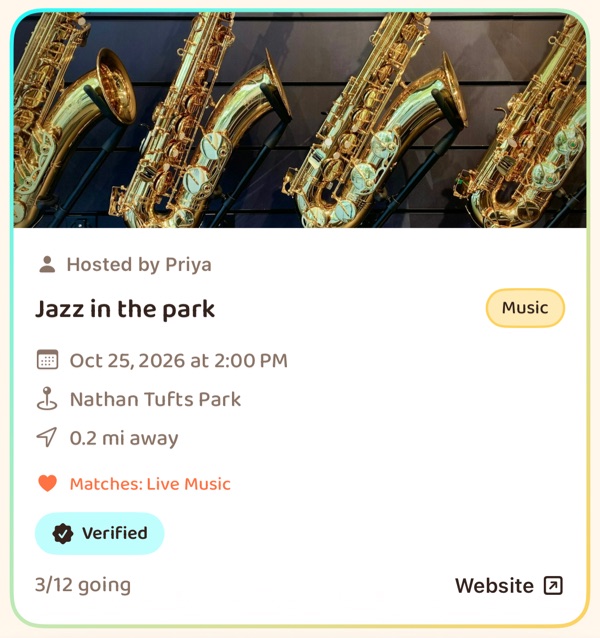
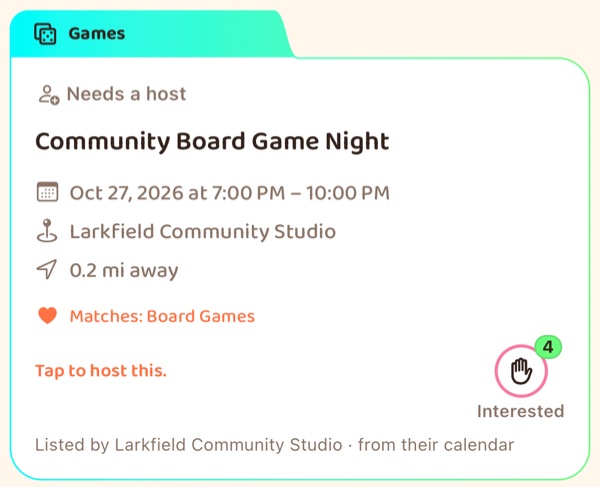
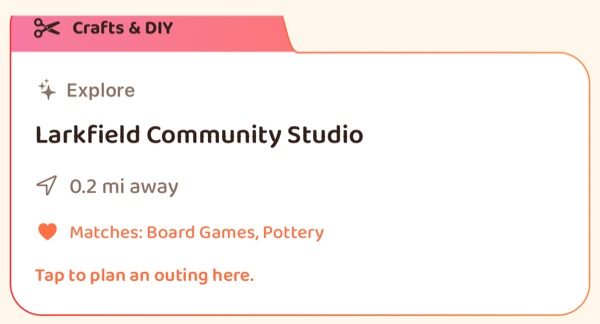
The difference that matters is whether anybody is organising it. An Outing says who is hosting it, just above the title, and comes with a guest list and a way in. The other two say Needs a host or Explore in that spot instead, because nothing has been organised yet.
A real event, no host yet
Venues publish their own calendars. Marquee reads them and lists what's coming up near you, with the venue credited and a link to their page. There is a real time and a real place — there is just nobody from Wanderist bringing a group.
So the only useful question at that stage is whether anyone else would go, and that is what the card asks. Tap Interested and you'll see the count.
A place, nothing scheduled
Atlas is the directory of venues underneath all of this — somewhere you could host, matched to the interests on your profile and to how far you're willing to go. No time, no host, no guest list, because none of it exists yet.
It is there for the evening you want to do something and nothing in the feed fits. Start from the place instead.
Hosting turns a listing into an Outing
A Marquee event you like but nobody has organised is the gap the whole thing exists to close. Hosting it creates a genuine Outing at that venue and that time — with approvals, capacity and check-in — and everyone who marked themselves interested is told. Any member can host one.
Two things we don't do with either kind. A listing is never presented as though we organised it, and nobody pays to appear in Atlas or Marquee — a venue is there because it is near you and fits your interests. Paid placement exists, it is a separate thing, and it is always labelled on the card itself. If you run a venue and would rather we didn't read your calendar, our crawler page explains how to say so.
Creating an Outing
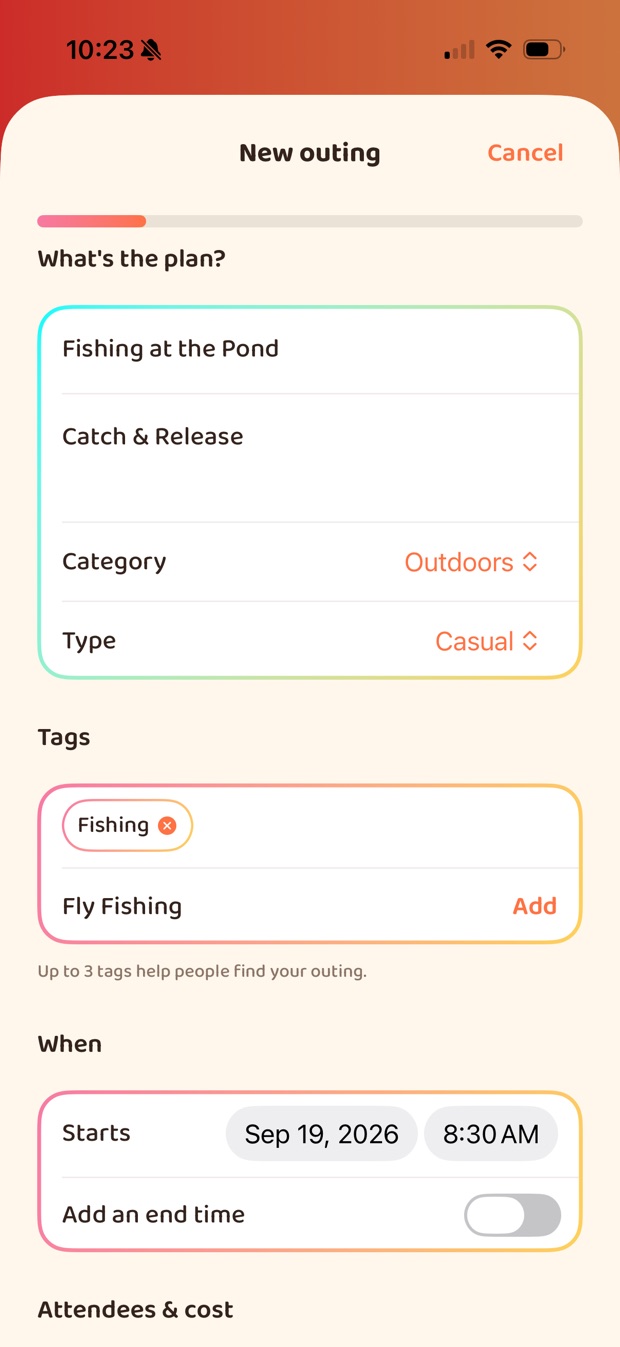
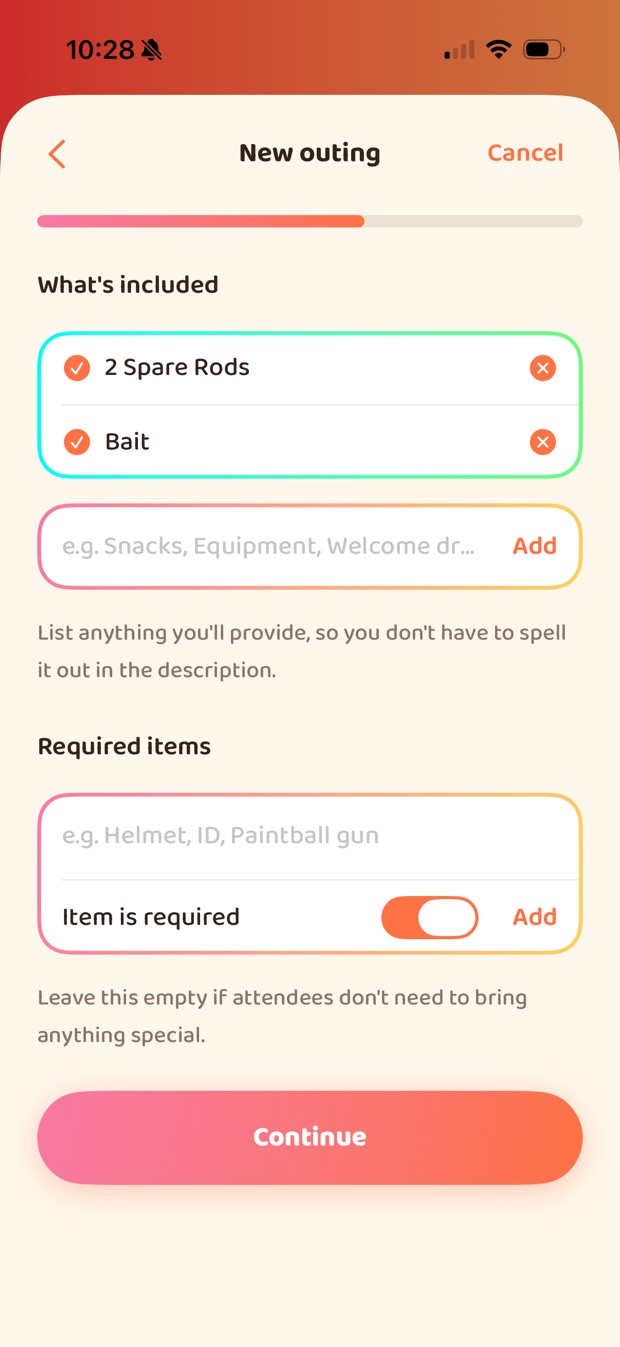
Five steps, and most of them you can leave alone. The shortest useful Outing is a title, a time and a place — everything else has a default that does something sensible.
What it is
A title, a description, one of 22 categories, and a rough size — Casual, Planned or Big event. Up to eight tags, which is what makes it findable by people who are into the same thing.
When it starts
It opens on the next whole hour, so the common case needs no thought. An end time is optional and off by default — most Outings finish when they finish, and committing to a stop time you don't mean is worse than not giving one.
Where it is
Search for the venue and pick it. If it's in our directory, its website and phone number come along with it, so you don't type out details that are already published.
Who can see it
Everyone puts it in the public feed. Friends shows it only to people you've added. Invite-only never appears in the feed at all — the only way in is a link from you.
Pocket money is not a ticket price
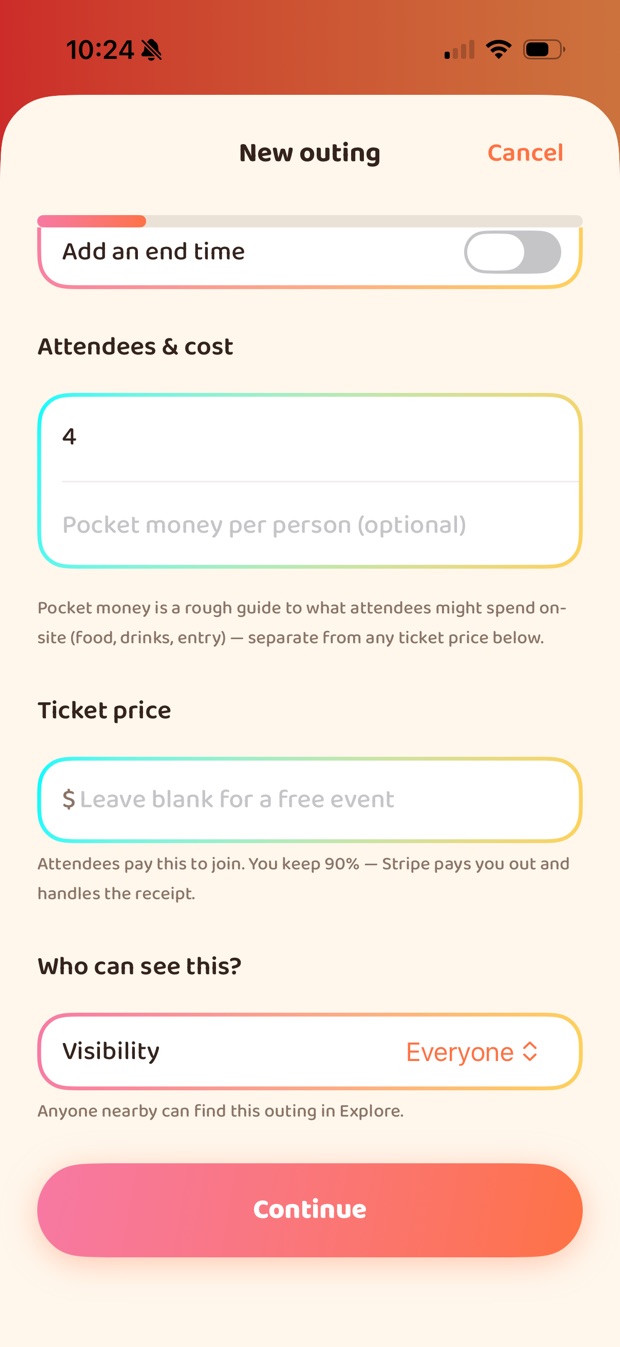
They are different fields because they are different things, and conflating them is the easiest way to mislead somebody about what an evening costs.
- Pocket money is a rough guide to what you'll spend at the venue — food, drinks, entry. No money passes through us. It exists so "bring about $30" is on the card instead of being a surprise at the bar.
- A ticket price is money that genuinely changes hands: the attendee pays to join, the host keeps 90%, and Stripe handles the payout and the receipt.
The ticket field is not there until you can actually be paid. It stays hidden until a host has finished payout setup — so nobody can advertise a price against an account that has no way to receive it.
Refunds start generous, and one case overrides everything
A paid event asks for refund terms, and the option you land on without thinking is a 24-hour window, not no refunds. That is deliberate: the buyer-friendly default should be the one you get by default, and a host who wants stricter terms is making a choice rather than accepting one.
⚠️ If the event materially changes, a refund is available regardless — including under "No refunds". A host cannot move an event somewhere else, at a different time, and keep money from someone who bought a ticket to the original.
Inviting a friend is not adding them
The invite step sends the people you pick a message about the Outing. It does not put them on the guest list. They still ask to join like anyone else, and you still approve them — an invitation buys them a head start, not a seat. Friends who share an interest with the Outing are listed first.
Capacity defaults to four. When the last place goes the Outing marks itself full, and that is decided on our side, not the app's, so two people tapping at once cannot both get the last seat.
The Lounge, and the Arcade in it
Turning up somewhere to meet people you've never met is the hard part, and it's easier if you've already spoken. The Lounge is where that happens — your friends list, one-to-one and group chats, and a shelf of small multiplayer games to break the ice with.
Emoji Charades
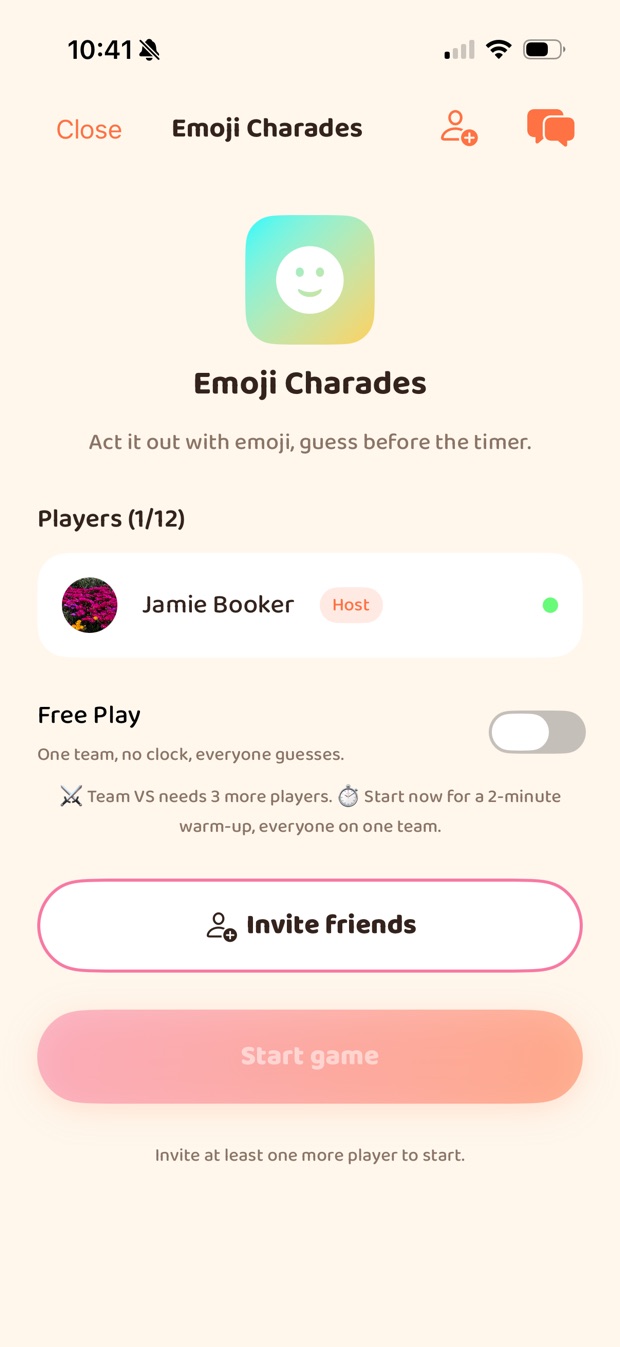
Act it out with emoji and guess before the timer. Two teams at four players or more, one co-op side below that, or a no-clock Free Play round the host ends when everyone's had enough.
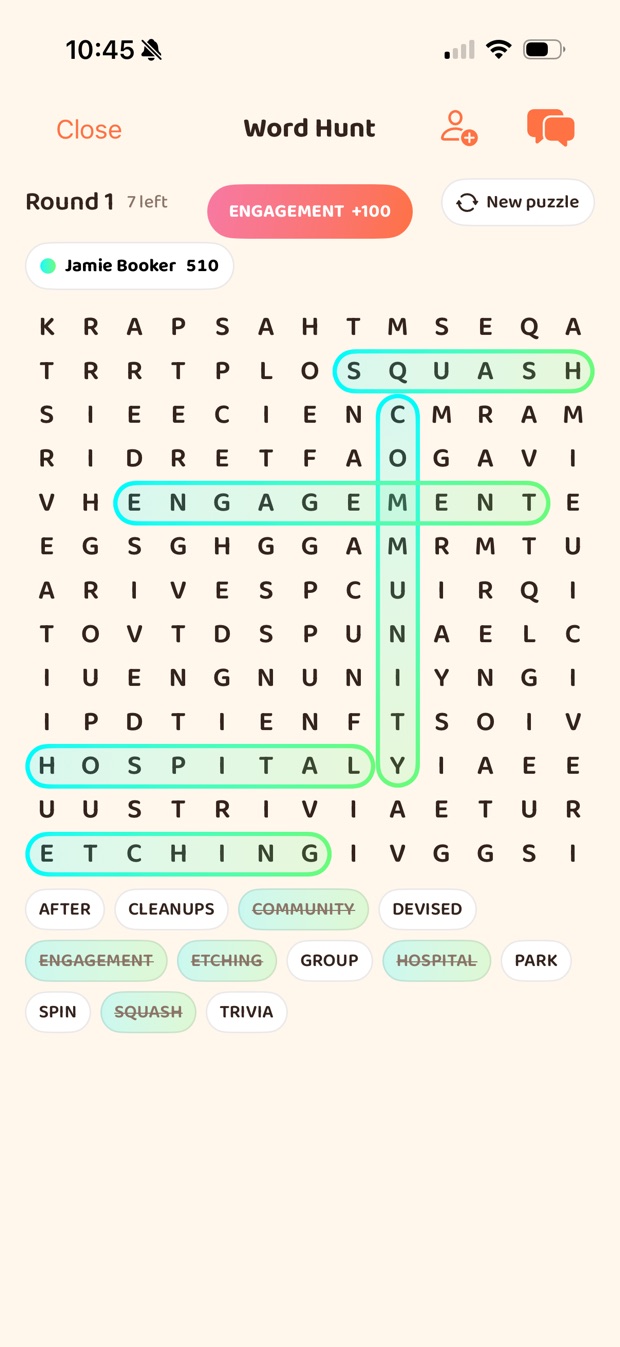
Word Hunt
One grid, everyone hunting at once. Longer words score more, quick finds build a streak, and cracking one after a long silence pays best. No clock — the round ends when the grid is cleared.
Trivia Night
One question, everyone answers at once. Right answers score and faster ones score a little more. A round is ten questions.
Reaction Rally
Simon, with emoji. Take turns replaying the whole chain and adding one more. Miss and you lose a life; run out and you keep heckling from the sidelines.
Who you play with
You can only invite friends. There is no random matchmaking and no lobby full of strangers — a game is something you start with people you've already added, up to twelve of you, and it needs at least two to begin. If you'd rather not play, the Lounge is perfectly good as a friends list and a chat.
You cannot cheat at these
The answers never reach the device. The word being acted out, the trivia key, the grid's solution — all of it is held server-side and handed only to the player entitled to see it, which for Charades is the one person doing the acting. Every scoring move is checked on our side rather than reported by the app. It's a small thing, but a party game that can be won by reading the screen isn't a party game for long.
The Arcade is in the app, on iPhone and Android. The browser version covers finding and hosting Outings, chat and your profile — games aren't part of it.
Your profile, and what other people see of it
Those are two different lists, and the gap between them is mostly the point. Nearly everything optional is off until you turn it on.
Interests
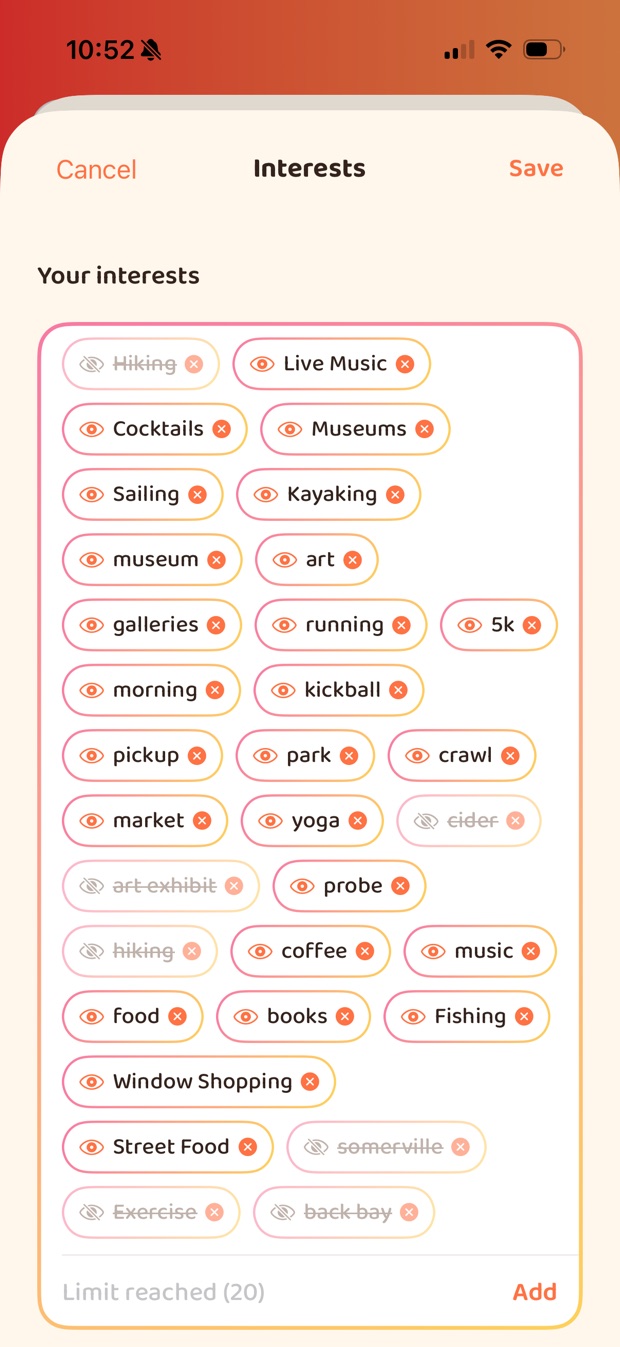
The words that decide what reaches you. Some you pick; the rest are learned from the Outings you actually join, so the profile keeps up without being maintained. Up to twenty.
What you've done
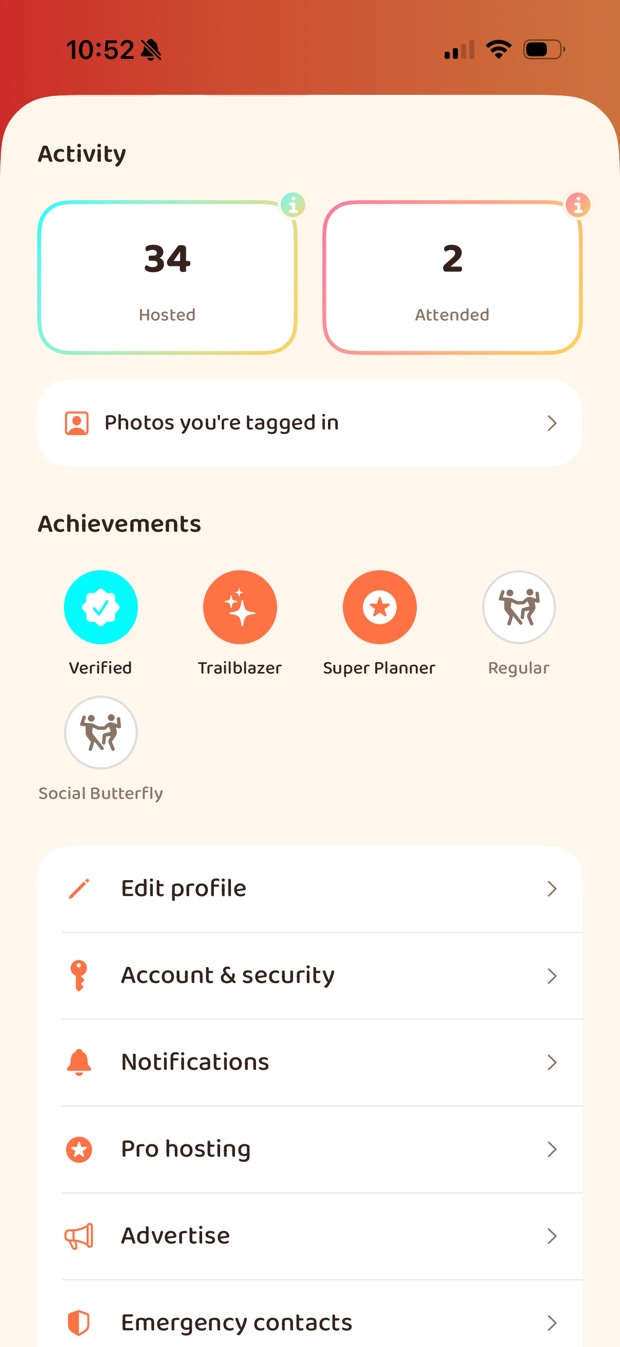
Two counts: hosted and attended. The lists behind them are private until you publish them, and the two switch separately — you can show what you host and keep what you attend to yourself.
Badges
Verified, Trailblazer, Super Planner, Regular and Social Butterfly — for verifying your identity, hosting your first, hosting five, joining five and joining ten.
Where else to find you
Nine networks can be linked. Each one shows publicly only if you say so individually — it is per-network, not one switch, and the default is that none of them are shown.
🔴 Hiding an interest hides it from people, not from the system
This is the one thing on this page most worth reading twice, because the reasonable assumption is wrong.
Crossing out an interest removes it from what other people see on your profile. It stays in your interests, and it still feeds everything that matches on interests — which Outings surface in your feed, who gets recommended to you as a friend, and whether a host's paid notification reaches you.
That is a deliberate design: the alternative is a feed that quietly gets worse every time you make something private, which would put privacy and usefulness in direct opposition. But it means hidden is doing a narrower job than the word suggests, so we would rather say it plainly here than let you find out from a recommendation. If you want an interest to stop affecting anything, remove it rather than hide it.
The other switches, and which way they start
- Photo tags — on, but narrow. Only an accepted friend can tag you in an Outing's photos, so "on by default" never means a stranger from one evening can label you. You can untag yourself from anything, or turn tagging off outright.
- Messages from people who aren't friends — off. By default a direct chat needs an accepted friendship first. You can open yourself up to anyone, and that is a deliberate opt-in rather than something we default you into.
- An away note. Free text that shows on your profile and at the top of any chat with you, for when you'd rather people knew not to expect a fast reply.
⚠️ The first two are enforced on our side, not merely hidden in the app. A rule that only the interface honours is a preference; a rule the server enforces is a setting.
Reputation you earn by showing up
Badges come from attendance and hosting — Regular at five Outings attended, Social Butterfly at ten, Trailblazer and Super Planner for hosting. They're backed by check-ins at the event itself.
There is deliberately no peer rating of people. We built a green/red flag system, looked hard at what it would actually do, and removed it — including every record it had already created. A low-effort way to mark someone down is a brigading tool sitting between two better options that already exist: block them, or report them with a reason a moderator can read.
Meeting people is your call. These are the tools.
We don't vet the people you meet, and we won't pretend otherwise. There are no background checks, and a badge on a profile is not a character reference — it means a document was checked, nothing more. Who you meet, where, and whether to go at all is your judgement to make.
What we can do is build the things that make that judgement easier to act on, and tell you plainly what each one does.
Tell someone where you are
Pick friends as emergency contacts. While you're checked in, they can see your live location — and only then. It stops when the Outing does.
Verified identity
Members can verify their identity through Stripe. Anyone hosting a paid event must. Verified members carry a badge, and some features are limited to them.
Block and report
Blocking is immediate and mutual — you disappear from each other's app. Reports go to moderators with your written reason attached.
Lock the app itself
A PIN or Face ID lock on the app, separate from your phone's.
Wanderist is 18+. We ask for your date of birth at sign-up. Our terms set out what we do and do not check, in the same words as above.
How a venue's events get listed
For anyone who runs a venue: how a calendar gets into Marquee, and the lines we hold once it is there.
How your events get in
There is nothing to sign up for. We look for the things a site already publishes when it wants to be syndicated — so in most cases the answer is that you have already done it, or that it is one setting in software you already run:
- An iCal / .ics feed, ideally advertised in your page head with
<link rel="alternate" type="text/calendar">, or sitting at a normal address like/eventsor/calendar. - Event structured data — the same JSON-LD markup you would add so Google lists your events.
- A calendar platform we already know the shape of: The Events Calendar for WordPress, LibCal, a public Google Calendar, Squarespace or Wix events.
Would rather just tell us? Email the address of your calendar to support@wanderist.io and we'll take it from there. There is no form to fill in — this site has no scripts and collects nothing.
What we will not do with it
- Read a site that hasn't published a machine-readable calendar. This is
syndication, not scraping. We fetch and honour
robots.txt, and a disallow stops us on its own — our crawler page has the details and the user agent. - Republish your writing. A link and a short summary, never your copy.
- Pretend we organised it. A listing says plainly that it has no host, and it says whose event it is.
- Leave a cancelled event standing. Cancellations and changes in your feed are picked up, which is most of why we ask for a calendar rather than a web page.
Honestly: not everything gets listed
Listings are screened before they appear, and the screening is deliberately cautious — we would rather drop something legitimate than put something inappropriate in front of a member who did not ask for it. A few categories we choose not to promote on our own initiative at all, which is a decision about what we will surface unasked rather than a judgement about your business.
Large ticketed shows are deliberately out of scope too. They are the wrong shape for this — the feed exists to surface the small local thing that would otherwise be missed, and a 2,000-seat show buries it. If that is what you run, the campaign tools and the host marketplace on For venues are the ones built for you.
The rest of it
Going to Outings, friends and notifications are covered on For members. Hosting, ticketing and the Concierge tier are on For hosts. Claiming a venue, campaigns and the host marketplace are on For venues. Anything else: support.